 Basis
Basis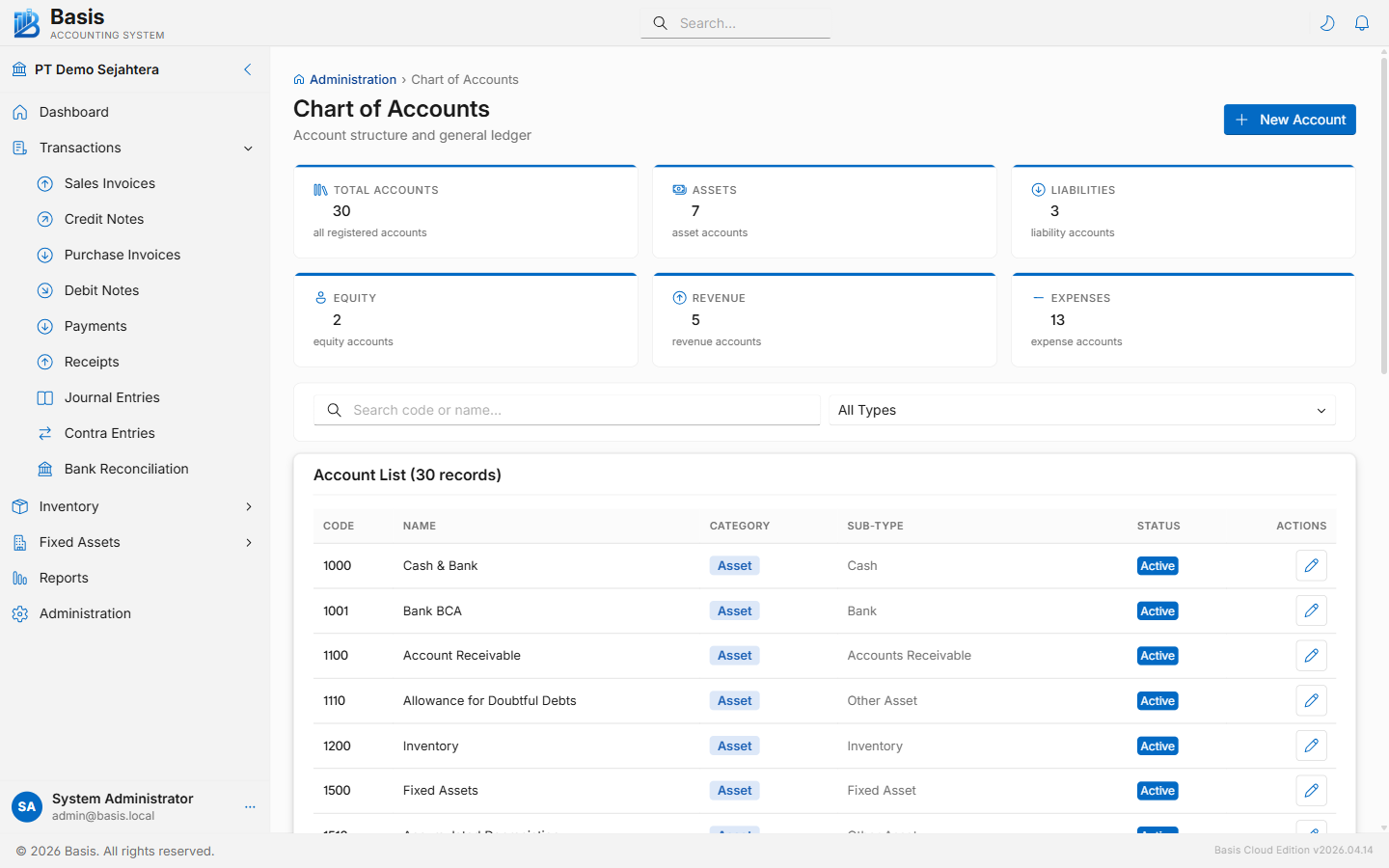
Account Sub-Types
Every account belongs to one of the following sub-types. The sub-type controls the account's normal balance (Debit or Credit) and where it appears in financial reports.
| Main Type | Sub-Types | Normal Balance |
|---|---|---|
| Asset | Cash, Bank, AccountsReceivable, OtherCurrentAssets, PrepaidExpenses, Inventory, FixedAssets, AccumulatedDepreciation, OtherAssets | Debit |
| Liability | AccountsPayable, OtherCurrentLiabilities, TaxPayable, WhtPayable, LongTermLiabilities | Credit |
| Equity | OwnersEquity, RetainedEarnings, DrawingsOrDividends | Credit |
| Revenue | SalesRevenue, ServiceRevenue, OtherRevenue | Credit |
| Expense | CostOfGoodsSold, OperatingExpense, TaxExpense, OtherExpense, DepreciationExpense | Debit |
Adding an Account
On the Chart of Accounts page, click New Account. A dialog opens.
- Enter a unique Account Code (e.g., "1-1010"). Codes are used in searches across all forms.
- Enter the Account Name.
- Select the Sub-Type. This determines the main type (Asset/Liability/Equity/Revenue/Expense) and controls normal balance and reporting category.
- Optionally add a Description for internal notes.
- Click Save.
Account fields
| Field | Status | Notes |
|---|---|---|
| Account Code | Required | Unique alphanumeric code. Used in all account search fields across the app. |
| Account Name | Required | Descriptive name shown in dropdowns and reports. |
| Sub-Type | Required | Determines main type, normal balance, and report placement. Cannot be changed after transactions have posted. |
| Description | Optional | Internal note about the account's purpose. |
| Active | Optional | Inactive accounts are hidden from transaction dropdowns but remain in reports. |
A new business is seeded with a standard Indonesian chart of accounts. You can add, rename, or deactivate accounts as needed. System default accounts (AR, AP, Tax Payable, etc.) are defined in Business Settings and used as fallbacks when transaction forms don't have an explicit account selected.
Related
- Business Settings — set system default accounts (AR, AP, Tax, COGS, etc.)
- Opening Balances — enter initial balances for all accounts
- General Ledger — view all transactions per account
- Trial Balance — verify account totals balance