 Basis
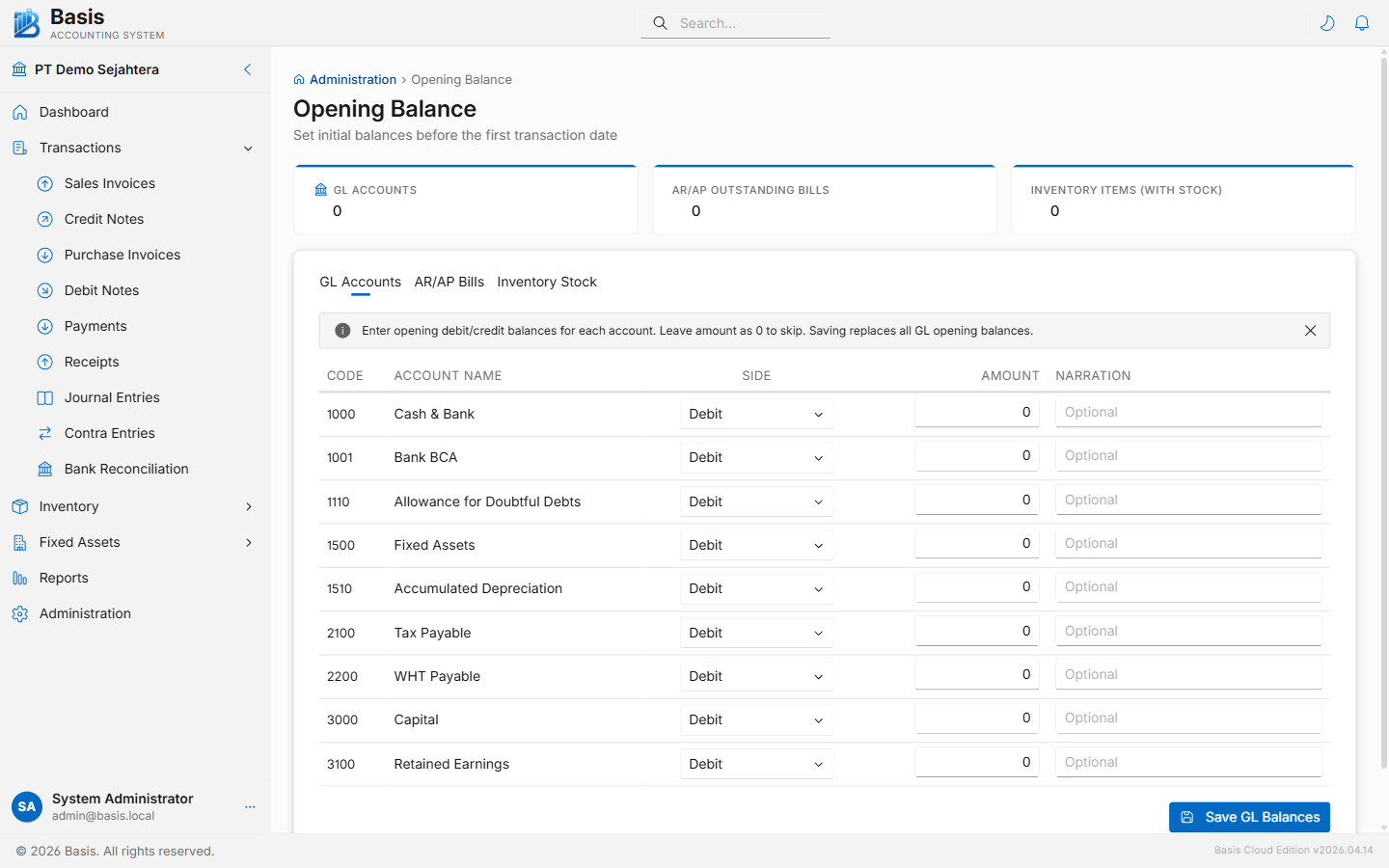
BasisTab 1 — GL Accounts
Enter the opening debit or credit balance for each account in the chart of accounts. All GL accounts are listed, grouped by main type (Asset, Liability, Equity, Revenue, Expense).
For each account row, enter:
| Field | Notes |
|---|---|
| Code | Account code — read only. |
| Account Name | Account name — read only. |
| Side | Debit or Credit — matches the account's normal balance. Asset & Expense accounts default to Debit; Liability, Equity & Revenue default to Credit. |
| Amount | Opening balance amount in base currency. Leave at 0 to skip an account. |
| Narration | Optional note (e.g., "As per Trial Balance 31 Dec 2024"). |
Click Save GL Balances. Saving replaces all previously entered GL opening balances in one batch. You can re-save as many times as needed until you start entering regular transactions.
Tab 2 — AR/AP Outstanding Bills
Enter individual invoices that were already issued or received before the Basis start date but have not yet been paid. These populate the AR Aging and AP Aging reports and the open invoice list for payments and receipts.
Each row represents one outstanding invoice:
| Field | Notes |
|---|---|
| Party | Customer (for AR) or Supplier (for AP). |
| Type | AR (Accounts Receivable) or AP (Accounts Payable). |
| Invoice Number | Original invoice number from the previous system. |
| Invoice Date | Original document date. |
| Due Date | Payment due date for aging calculation. |
| Amount | Remaining outstanding balance (not the original invoice total). |
Tab 3 — Inventory Stock
Enter the opening stock quantities and values per item and per location. The system displays a matrix where rows are items and columns are locations. Enter the quantity and unit cost for each item-location combination that has stock.
The opening stock value is calculated as Quantity × Unit Cost. This is used as the starting point for Weighted Average Cost (WAC) calculations on subsequent transactions.
Related
- Chart of Accounts — accounts must exist before entering GL balances
- Parties — customers/suppliers must exist before entering AR/AP bills
- Items — items must exist before entering inventory stock
- Trial Balance — verify GL opening balances after entry