 Basis
Basis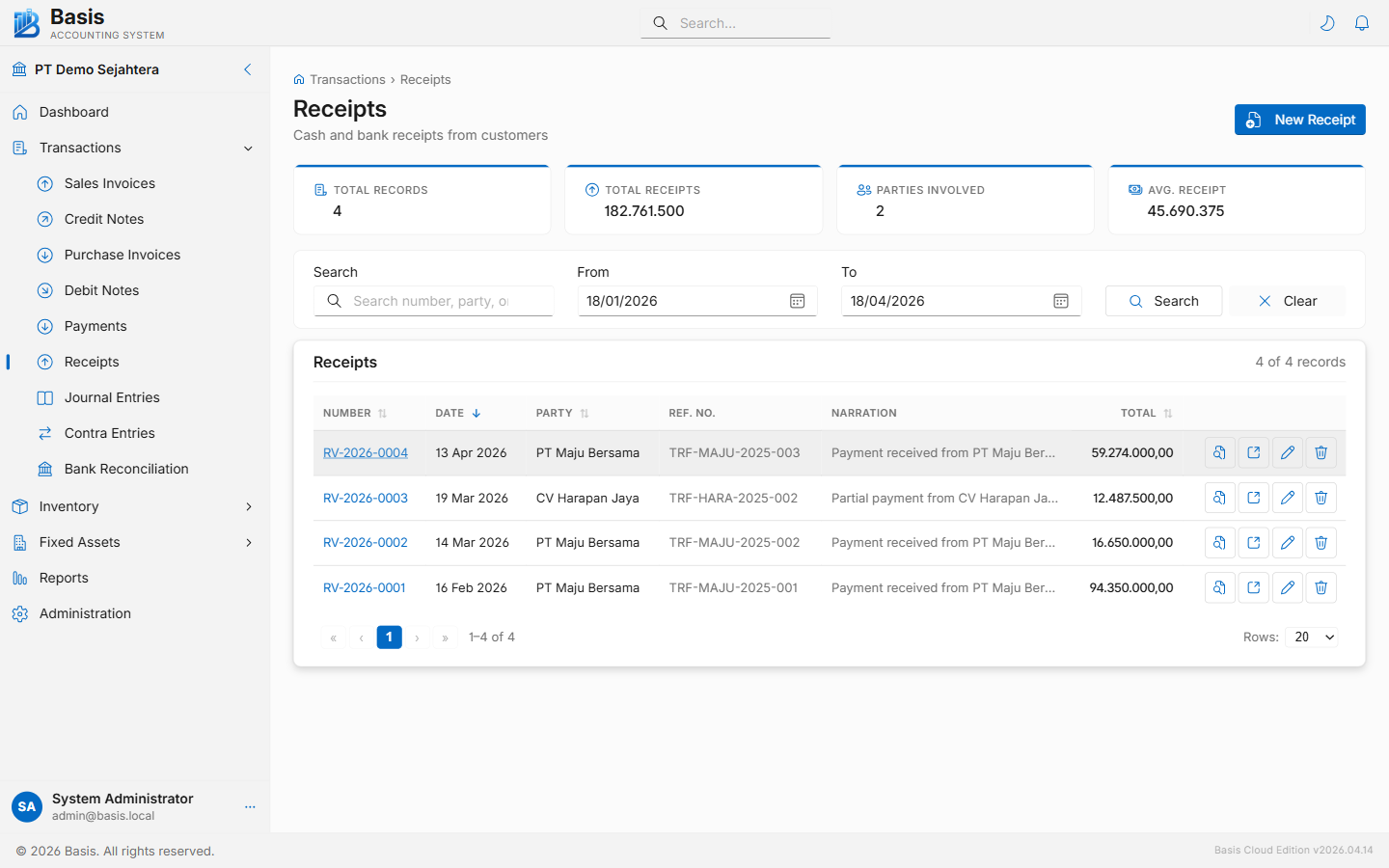
Creating a Receipt
Go to Transactions → Receipts, then click New.
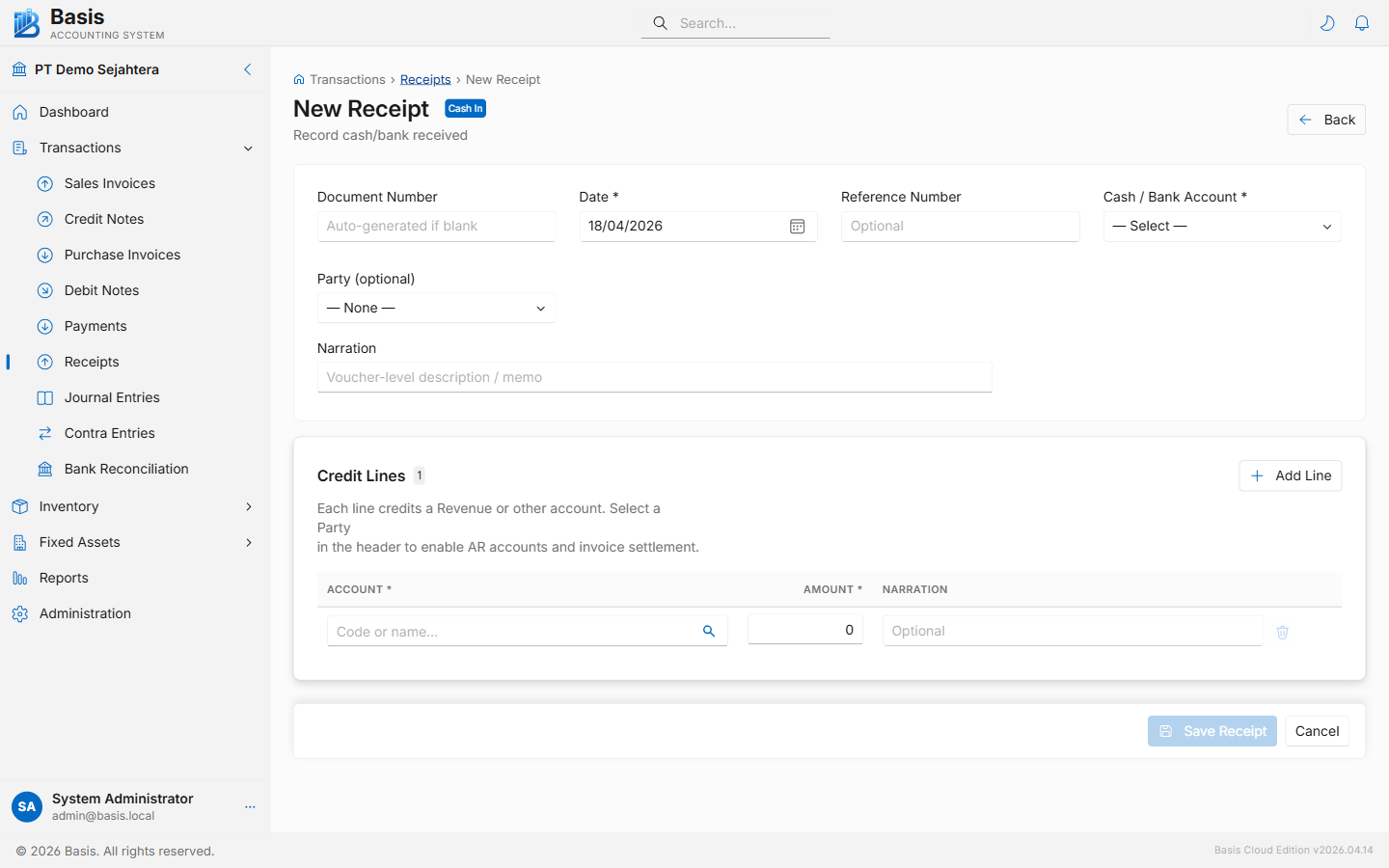
- Select the Cash / Bank Account where the money will be deposited (required).
- Set the Date of the receipt.
- Optionally select a Party (customer). Once selected, outstanding Sales Invoices for that customer appear for AR settlement.
- Add one or more offset lines: choose the account (AR, revenue, or other income) and enter the amount. For AR settlement, select the invoice from the dropdown — the amount auto-fills from the outstanding balance.
- Optionally enter a Reference Number (transfer ID, cheque number, etc.).
- Add a Narration and click Save.
Header fields
| Field | Status | Notes |
|---|---|---|
| Document Number | Auto | Auto-generated from the RV voucher series. Can be overridden. |
| Date | Required | Date the receipt is recorded. Blocked if the period is locked. |
| Reference Number | Optional | Bank transfer ID, cheque number, or other customer reference. |
| Cash / Bank Account | Required | The account the money is received into. Only Cash and Bank accounts are shown. |
| Party | Optional | Select a customer to load outstanding Sales Invoices for AR settlement. Leave blank for direct income receipts. |
| Currency | Optional | Defaults to base currency. Available when Multi-Currency is enabled. |
| Narration | Optional | Description of the receipt — printed on the receipt voucher. |
Offset line fields
| Field | Status | Notes |
|---|---|---|
| Account | Required | The account being credited: Accounts Receivable, Sales Revenue, or other income accounts. |
| Invoice | Optional | Appears when Party is selected. Links this line to a specific outstanding Sales Invoice for AR settlement. |
| Narration | Optional | Per-line description. |
| Amount | Required | Receipt amount for this line. Auto-fills from outstanding invoice balance if an invoice is selected. |
Advance receipt: leave the Invoice field blank and use an Accounts Receivable account. This records a customer prepayment. Allocate it to a Sales Invoice when the invoice is created later.
Editing & Deleting
Open any receipt from the list and click Edit (pencil icon) or Delete.
Immutable vouchers: Every edit or delete archives the original voucher as a full JSON snapshot in the Audit Trail before making changes. The voucher ID is preserved on edit. All history is retained and recoverable.
Viewing & Printing
From the receipt detail page, click Print / Preview to open the printable receipt voucher. The document shows the payer, cash/bank account, all offset lines, and the total received.
GL Impact
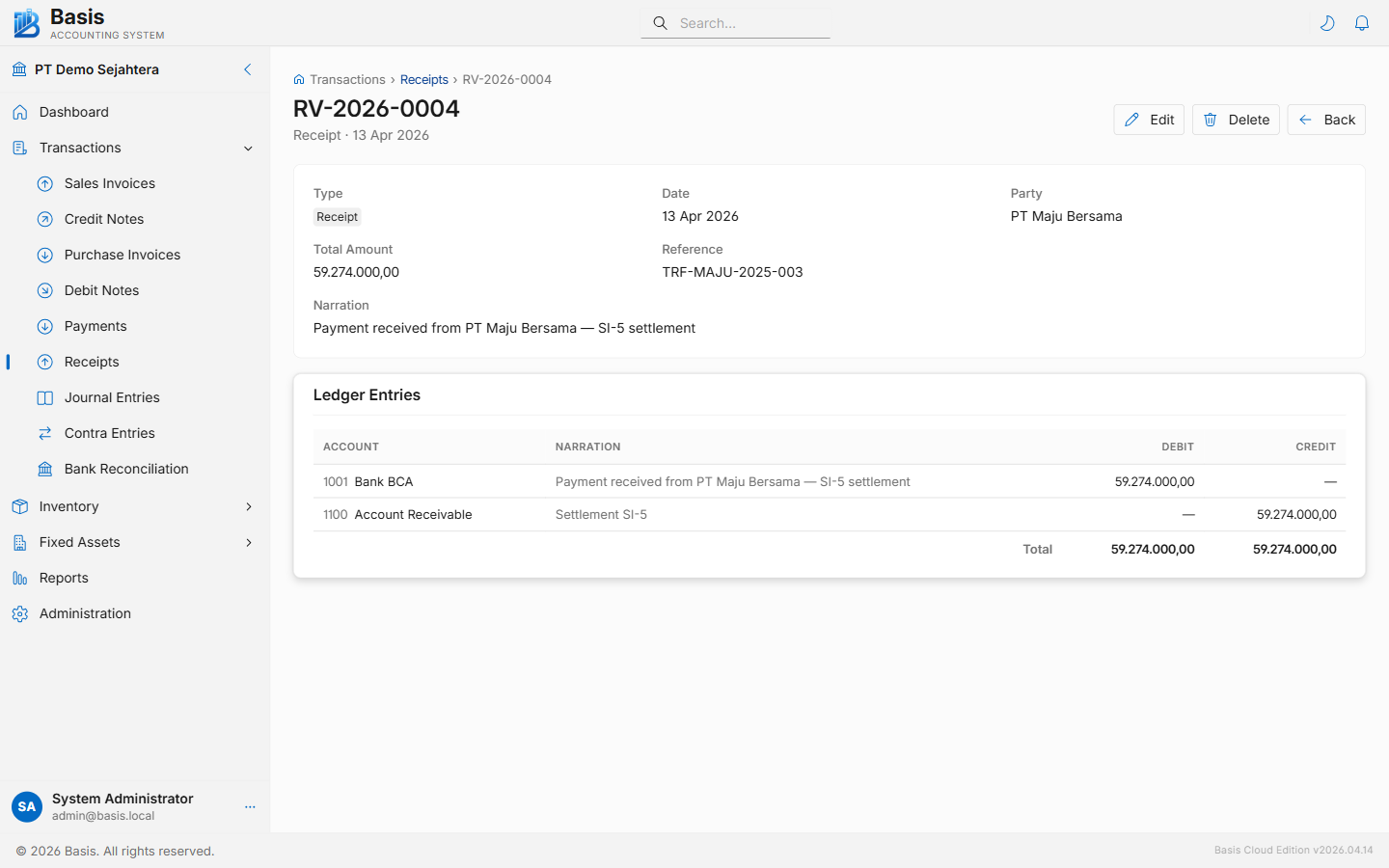
| Account | Debit | Credit |
|---|---|---|
| Cash / Bank Account | Total receipt amount | — |
| Accounts Receivable / Revenue Account (per line) | — | Line amount |
Related
- Sales Invoices — the invoices being settled
- Payments — the mirror: cash going out to suppliers
- Credit Notes — if issuing a credit instead of a cash refund
- Bank Reconciliation — match receipts to your bank statement